
Relume: AI sitemaps and wireframes for entire websites
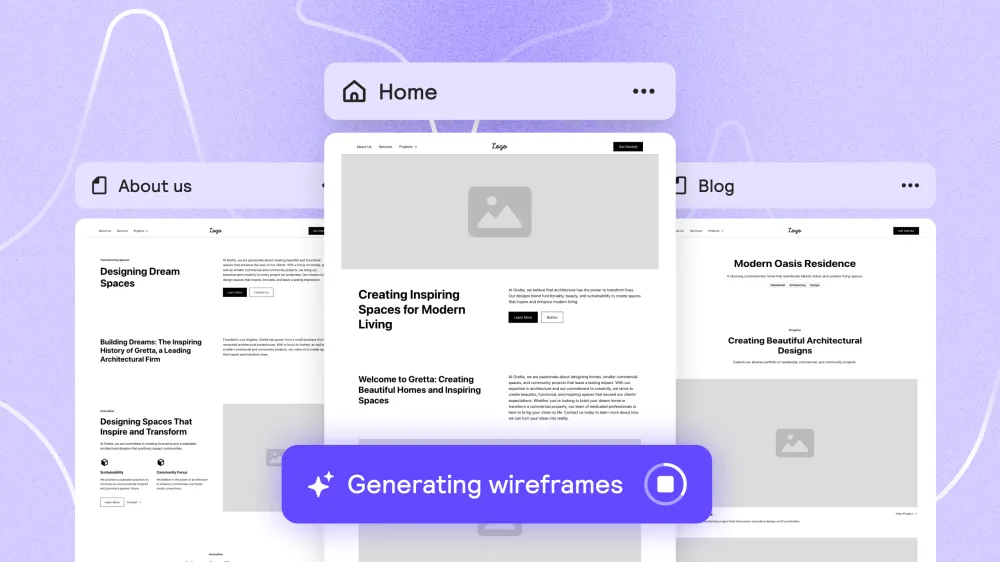
Most tools in this series build apps. Relume attacks a different bottleneck: the structure of a website. Anyone who has built a site for a client or a project knows that the slow part is rarely the visual polish. It is deciding which pages exist, what goes on each page, in what order, and what the text roughly says. Relume uses AI to compress that week of planning into about an hour. This post covers what it is, what you can do with it, and how to get started.
What is Relume?
Relume (relume.io) started as a huge component library for Webflow and Figma: over a thousand professionally designed sections like heroes, feature grids, pricing tables and footers that designers snap together instead of drawing everything from scratch. The AI layer, the Site Builder, sits on top of that library and is what made Relume famous.
The workflow is simple. You write a short description of the company or project, and Relume generates a complete sitemap: every page and every section on every page, laid out as a flowchart you can rearrange by dragging. One click later you have wireframes: real page layouts built from those library components, filled with AI written draft copy that actually fits your project instead of lorem ipsum. From there you adjust by chatting, swapping sections, or editing text directly.
What makes it different
- It works at the structure level. Other AI tools give you one page or one app. Relume thinks in whole websites: a marketing site of five, ten or twenty coherent pages with consistent sections.
- The output is professional by construction. Because everything is assembled from a curated component library, the wireframes follow layout conventions that already work, instead of whatever the model improvises.
- The copy draft is included. Headlines, section text and calls to action are generated from your description. They are drafts, not final copy, but a draft to react to beats a blank page every time.
- It exports to the tools designers actually use. One click sends the whole wireframe to Figma as proper layers, or to Webflow as buildable components with the style guide attached. React component code is available too.
What you can do with it
- Plan a client or project website. Generate the sitemap, walk through it together, and agree on structure before any design hours are spent. Structure discussions go much faster when there is something concrete to point at.
- Wireframe a marketing site for your product. The app might come from Lovable or Bolt, but the website that sells it can come from Relume.
- Kickstart a Figma design. Designers use the export as a starting layer and spend their time on brand and polish instead of boxes and grids.
- Go straight to a live site. Through the Webflow export, the path from description to published website is surprisingly short.
Where it fits among the other tools
Think of Relume as the architect in the toolchain. v0 makes a beautiful single interface, Lovable and Bolt make working apps, but Relume answers the question that comes before all of that: what should this site even consist of? A combination we like: Relume for the sitemap and wireframes, then either Webflow for a polished marketing site or a vibe coding tool for the interactive parts. The thinking work Relume forces you through, describing the audience and the goal clearly, improves the results in every other tool too.
What does it cost?
There is a free plan that lets you try the Site Builder on a small project, which is enough to feel whether the workflow clicks. Paid plans unlock larger sites, the full component library and team features. Check the official pricing page for the current tiers before deciding.
Honest about the limitations
Relume produces structure and wireframes, not finished branded design; the visual identity is still your work, in Figma, Webflow or wherever you take the export. It is built for marketing style websites, so a web app with dashboards and complex logic is outside its lane. And the generated copy is a competent first draft that sounds like a competent first draft: rewrite it in your own voice before anything goes live. As with every tool in this series, the better your initial description of the project, the better everything that follows.
How to get started today
- Go to relume.io and create a free account.
- Describe the project in a paragraph: who it is for, what it offers, what the visitor should do.
- Generate the sitemap and rearrange pages and sections until the story flows.
- Generate wireframes and refine sections and copy.
- Export to Figma or Webflow and continue with design or building.
An example project description to start with:
A website for a small construction inspection startup.
Audience: project managers at mid size construction firms.
Goal: convince them to book a demo of our AI inspection service.
Pages I expect: home, how it works, pricing, about us, contact.
Tone: trustworthy, practical, no buzzwords.
The unglamorous truth of web projects is that structure decides most of the outcome before any pixel is styled. Relume turns that decisive phase from a week of documents into an afternoon of dragging and reacting, and that is exactly the kind of shortcut worth knowing.
Prices, limits and features change fast in the AI world. Always check the official page of the tool for the current state of things.