
GitHub Copilot: the everyday AI assistant in your editor
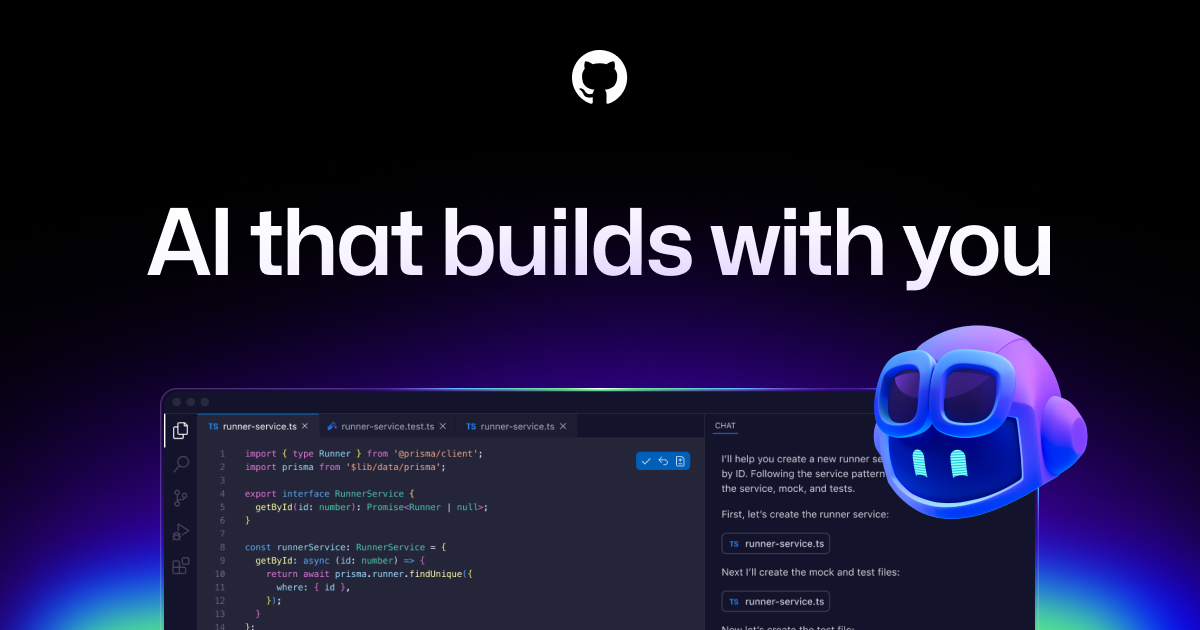
Before vibe coding had a name, there was GitHub Copilot quietly finishing developers' sentences. It was the first AI coding assistant to go mainstream, and it has since grown from an autocomplete into a full assistant that chats, edits, reviews and even works on tasks by itself. For students it has one extra trump card: it is free. This post covers what it is, what you can do with it, and how to get started.
What is GitHub Copilot?
Copilot (github.com/features/copilot) is GitHub's AI assistant for software development. It lives where you already work: inside VS Code and other major editors, and on GitHub itself. Because GitHub is owned by Microsoft and used by virtually every developer on the planet, Copilot is the assistant you are most likely to encounter in internships, classrooms and jobs, which makes learning it a directly transferable skill.
What you can do with it
- Code completion. The classic. As you type, Copilot suggests the rest of the line or whole blocks, in gray text you accept with Tab. Write a comment describing a function and it often writes the function.
- Copilot Chat. A chat panel inside your editor that knows your project. Ask it to explain code, find a bug, generate a piece of logic, or walk you through an error. For learners, "explain this like I am new to programming" is worth its weight in gold.
- Edits across files. Describe a change and let Copilot apply it across multiple files at once, with each change shown for your approval.
- The coding agent. On GitHub you can assign an issue to Copilot like you would to a teammate. It works on the task in the background and comes back with a pull request for you to review.
- Code review. Copilot can review your pull requests and flag problems before a human ever looks at them.
- One of several models. Copilot lets you pick between AI models from OpenAI, Anthropic and Google, so you are not married to one brain.
The student deal
Here is the part that matters if you are enrolled anywhere: Copilot Pro is free for verified students and teachers through the GitHub Student Developer Pack. The pack also bundles dozens of other developer tools, free hosting credits, domains and learning platforms. Verification takes a little while, so arrange it before you actually need it. If you qualify, this is the single best starting point in the whole AI tool landscape, because it costs nothing and works everywhere.
How it compares
Copilot's strength is breadth and ubiquity rather than any single spectacular trick. Cursor fans will argue their editor's project wide intelligence feels sharper; browser builders are faster for going from zero to a demo. Copilot's counterargument is that it meets you inside the standard tools, plays well with the whole GitHub workflow of issues, branches and pull requests, and for students costs nothing. Many people run Copilot as their daily baseline and reach for other tools for specific jobs.
What does it cost?
There is a free tier with a monthly allowance of completions and chat messages, enough to learn the habits. Copilot Pro removes most limits and adds the stronger models and features, and is free for students via the Student Pack. Business and Enterprise tiers exist for organizations. As always, the exact limits move around, so check the official page.
Honest about the limitations
Copilot is an assistant in an editor, not a no code builder: it assumes you are working with code, even if the AI writes most of it. Suggestions are sometimes confidently wrong, and accepting them without reading is how subtle bugs enter projects. The habit to build from day one: read what you accept, and ask Chat to explain anything you do not understand. Used that way, Copilot is not just an accelerator but one of the cheapest programming teachers available.
How to get started today
- If you are a student, apply for the GitHub Student Developer Pack first.
- Install VS Code, sign in with your GitHub account, and enable Copilot.
- Open any project and start typing; watch the gray suggestions appear.
- Open Copilot Chat and ask it to explain a file you did not write.
- When you are comfortable, try assigning a small issue to the coding agent on GitHub.
An example Chat prompt to start with:
I am new to this codebase. Give me a tour:
what does this project do, what are the three most important files,
and where does the program start running?
Then suggest one small improvement I could make as a first contribution.
Copilot earned its place by being there, every day, in the editor, removing friction a thousand small times. It is not the flashiest tool in this series, but it might be the one you end up using the longest.
Prices, limits and features change fast in the AI world. Always check the official page of the tool for the current state of things.