
Chat, Work or Code? Choosing the Right AI Interface for Enterprise Work

When an organisation compares AI assistants, the first question is often, “Which model is best?” In practice, the interface matters just as much. A quick chat, a multi-step research task and a change to a software repository are different kinds of work. They need different context, permissions and review.
That distinction is becoming easier to see in the products themselves. ChatGPT now separates Chat, Work and Codex. Claude pairs its conversational app with Claude Code for terminal-based software work. Google’s Gemini app can create and edit files within a conversation, while Gemini CLI and Code Assist bring Gemini into developer workflows. These are not identical modes, and access varies by plan, workspace and rollout. But they point to a useful decision: choose the working environment for the job, then choose a model that fits the quality, risk and cost required.
Start with the work, not the model name
For a one-off question, a conversational interface is usually enough. The person supplies the context, asks a question, and checks the answer. For a task that needs several stages—research, analysis, a draft, perhaps a spreadsheet or presentation—the useful interface is one that can keep the task organised and work with the relevant files. For software engineering, the assistant needs access to a repository, a way to propose or make changes, and a review path that lets an engineer inspect what changed.
Those distinctions affect the work more than a leaderboard score does. A model may be capable of writing code, but a chat window cannot necessarily inspect the project, edit multiple files, run the application and show a reviewable change set. Conversely, giving an agent access to a repository and terminal is unnecessary—and may be an avoidable risk—when the task is simply to explain a concept.
What the current interfaces are designed to do
Product names and availability change, so treat this as a description of the documented product surfaces rather than a permanent feature matrix.
| Work type | ChatGPT | Claude | Google Gemini |
|---|---|---|---|
| Quick questions, brainstorming, and search | Chat is the conversational option for everyday questions, search and brainstorming. | The Claude app provides the conversational workspace for writing, research and analysis. | The Gemini app provides a conversational interface and can work with files. |
| Longer research and deliverables | Work is designed for multi-step research and creating deliverables such as documents, spreadsheets and presentations. | Claude can work with documents and other material in its app; capabilities depend on the plan and enabled features. | Gemini can create, preview and edit documents, spreadsheets, presentations, PDFs and code files in its web interface; supported file types vary by surface. |
| Software development | Codex is the coding-focused experience for repositories, code changes, commands and review. | Claude Code is a terminal-based coding tool that can work in a project and supports reviewable, stepwise development. | Gemini CLI and Gemini Code Assist bring Gemini into terminal and IDE workflows. |
OpenAI documents Chat as its conversational experience, Work for longer multi-step tasks, and Codex for software development. Anthropic describes Claude Code as a terminal tool for coding workflows. Google documents both file editing in Gemini and separate developer tools such as Gemini CLI. The product surfaces are therefore comparable by job, but their controls, context handling, permissions and limits are not interchangeable. (OpenAI: ChatGPT Work and Codex; Anthropic: Claude Code overview; Google: editing files in Gemini; Google: Gemini CLI.)
Three modes inside ChatGPT
ChatGPT makes the distinction especially visible in its interface. Chat is for a quick conversational exchange: ask, clarify, and use the answer. Work is for a longer task with a defined output, such as researching a question and producing a report. Codex is the software-development surface, where work can involve a codebase, edits, commands and technical review.
A practical sequence might begin in Chat to clarify the problem, move to Work to compare options and prepare a decision memo, then use Codex only if the chosen option requires a software change. The handoff is a judgement call: a larger task does not automatically need an agent. Use the mode that has enough context and tools to complete the next step, while limiting access to what that step requires.
Model choice is a separate decision within that workflow. In our experience, Claude Code can be especially strong for substantial programming work, while repeated use at higher capability levels can feel expensive; the actual cost depends on plan, usage limits and how the work is billed. For a well-scoped task, a more efficient model such as GPT-6 Luna can often get us to a useful result at lower cost, with trade-offs in depth, iteration and the amount of review or steering needed. This is our practical experience, not a controlled benchmark or a guarantee that one model will outperform another on your codebase. OpenAI itself positions Luna for focused, cost-sensitive work and recommends evaluating models on representative workloads. (OpenAI model guide; Anthropic on Claude Code plans and shared usage.)
How to compare tools without running a beauty contest
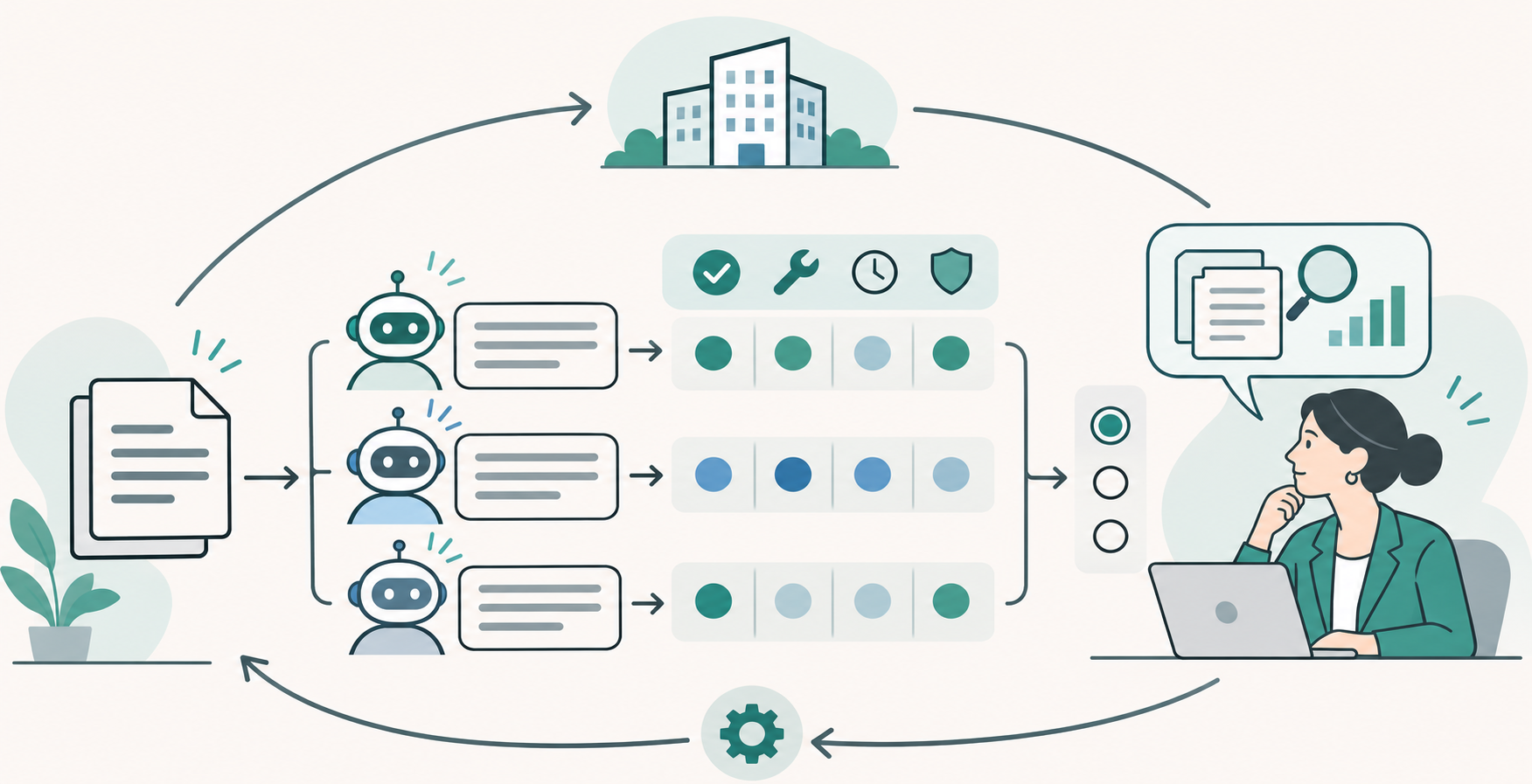
Pick one recurring, low-risk task that a knowledgeable colleague can judge. Use the same source material, the same instructions and the same expected output in each interface. A realistic task might be turning a short, approved requirements document into a list of unresolved decisions and a first draft of an acceptance checklist. For coding, use a small, well-understood change in a non-production branch.
Then record what happened, not just whether the answer sounded convincing:
- Time from starting the task to an output a colleague would accept.
- Corrections needed, including factual errors, missing requirements and changes that broke existing behaviour.
- How much human review was needed, and whether the reviewer could see the evidence or changes clearly.
- Usage consumed, extra charges or rate limits encountered, and the cost of retries.
- What data and system permissions the tool needed, and whether the task could be completed with less access.
These observations reveal why one option works better for a particular workflow. A fast answer that takes longer to verify may not be faster overall. A capable coding agent may be worth its cost for a difficult change, while a smaller model is adequate for routine, constrained edits. A file-aware research workspace may save time when the work depends on several approved documents. For business use, also check what the chosen plan does with prompts and files, what administrators can control, where data is processed, and how the tool fits existing security and retention policies.
Make the test safe and repeatable
Begin with information that is approved for the tool. Do not paste customer, employee or confidential company data into a consumer service unless the organisation has approved that use. If the task involves code, use a branch or sandbox, limit credentials and permissions, inspect the diff, and run the checks your normal process requires. Start with read-only access where possible. Let the assistant suggest an action before allowing it to take one.
Keep the test small enough to repeat. A short record of the task, prompt, model, interface, review changes and result makes later comparisons fairer. Re-run it when plans, model options or policies change. Usage and access rules can differ across consumer, business and enterprise accounts, and product features roll out over time; check the vendor’s current documentation and your organisation’s agreement before making a procurement decision.
The decision is a workflow choice
There is no single winner across conversation, research and software delivery. Claude, ChatGPT and Gemini each offer useful surfaces, and the strongest fit depends on the task, the surrounding systems, the review process and the cost of failure. The choice is often not “which assistant should everyone use?” It is “where should this piece of work happen, what may the assistant access or change, and how will a person know the result is ready?”
We help organisations answer those questions objectively, test the options against real work and implement the solutions that fit their needs. If you are deciding how AI should fit into an existing workflow, contact Emplex.