
The status report says green. Do the other documents agree? A 15-minute check with Gemini Notebook
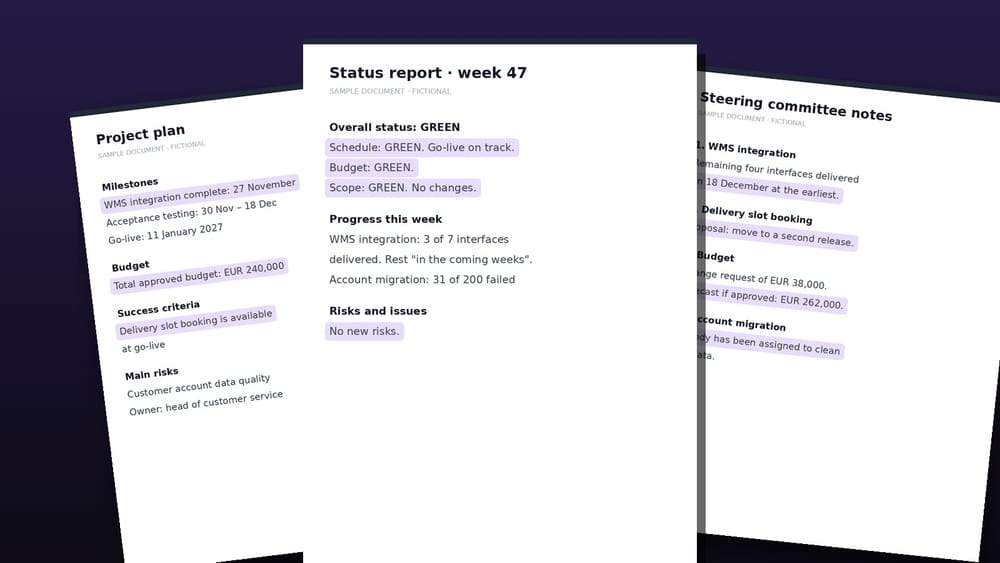
Most project status reports are written in good faith and still tell only part of the story. The plan says one thing, the weekly report says another, and the notes from the last steering meeting contain a sentence that should have changed the color of a traffic light. Nobody is hiding anything. The documents simply never get read side by side.
We tried a simple way to do that reading in about fifteen minutes with Gemini Notebook, the Google tool many readers will know as NotebookLM. We gave it three documents from a made-up project, asked where they disagree, and compared its answer with the contradictions we had planted ourselves. This article shows the steps, the result, and where you still have to think for yourself.
It is written for people who sponsor, steer or run projects: you do not need any technical background, and there is nothing to install.
This is a demonstration with invented documents. The organization, the project and the people in it are fictional. It is one small test on 28 November 2026, not a measurement of how accurate the tool is.
The test: three documents, five planted contradictions
We wrote three short documents for a fictional project to replace a warehouse customer portal:
- a project plan with milestones, budget, scope, success criteria and risks;
- a status report for week 47, with everything on green;
- steering committee notes from a meeting two days before that report.
Because we wrote them, we knew exactly what was wrong. The status report and the other two documents disagree on five points:
- Schedule. The report says go-live is on track. The notes say the supplier delivers the remaining interfaces on 18 December at the earliest, which is the last day of the planned testing period.
- Budget. The report says green. The notes mention an unapproved change request that would take the forecast above the approved budget.
- Scope. The report says no changes. The notes record a proposal to move a feature to a later release, a feature the plan lists as a success criterion.
- Data migration. The report mentions failed test records. The notes add that nobody has been assigned to fix them.
- Risks. The report says there are no new risks.
The question was simple: would the tool find all five, and would it show its evidence?
What you need
- A Google account and notebook.google.com. In our session the older address notebooklm.google.com opened the same product under the name Gemini Notebook.
- Two or more documents about the same project. Use made-up or already public documents for your first try; we explain why further down.
- About fifteen minutes.
Step 1: Create a notebook and add the documents
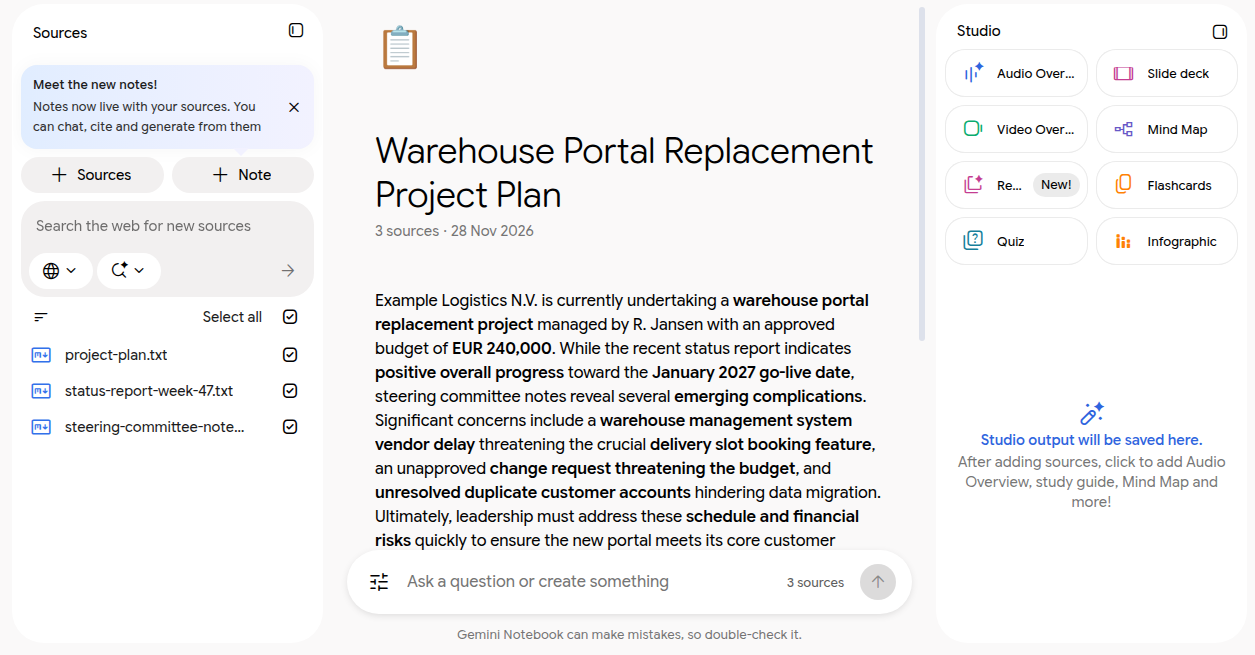
Click New notebook, then Add source and Upload files. We uploaded the three text files at once. Google's help pages list many accepted types, including PDF, Word, PowerPoint, Google Docs and pasted text.
After a few seconds the notebook showed the three sources on the left and wrote its own summary in the middle. That summary was already telling: without being asked, it noted that the status report shows positive progress while the steering notes "reveal several emerging complications".
Step 2: Ask where the documents disagree
A summary is not what you want here. You want differences, with proof. This is the question we typed, and you can copy it as it is:
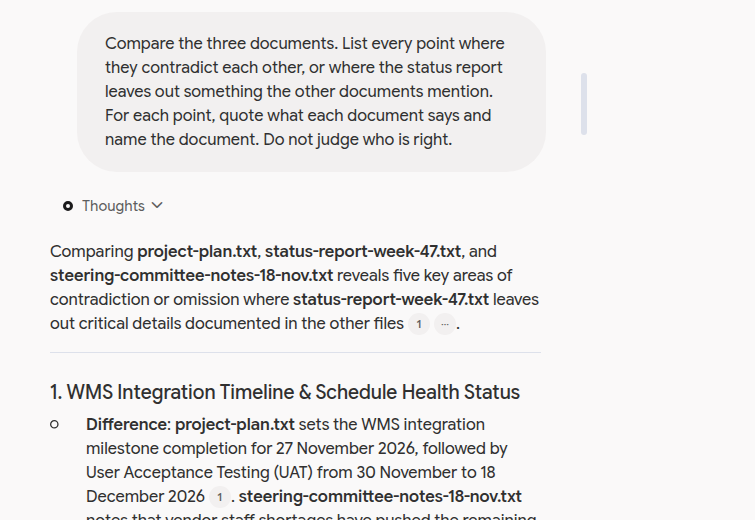
Compare the three documents. List every point where they contradict each other, or where the status report leaves out something the other documents mention. For each point, quote what each document says and name the document. Do not judge who is right.
Three parts of that question do the work. "Contradict or leave out" matters because status reports rarely state something false; they omit. "Quote and name the document" forces evidence you can check. "Do not judge" is there because the tool cannot know which document is right, and you do not want it to pretend.
The result: five out of five
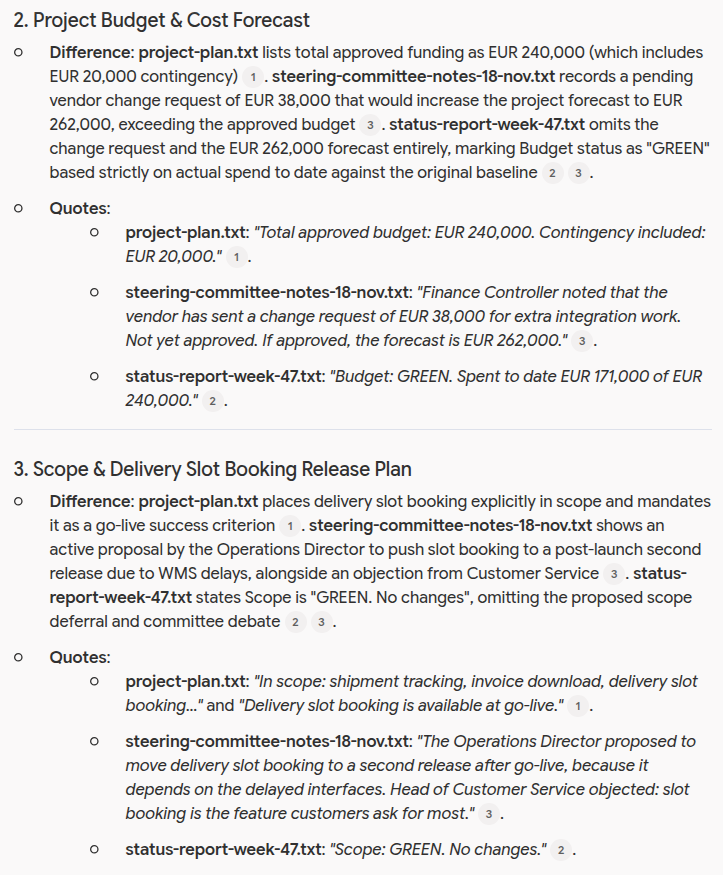
The answer listed five differences, and they were the five we had planted. For each one it described the difference and then quoted all three documents.
| What we planted | Found? | How the tool described it |
|---|---|---|
| Schedule on track versus a supplier delay | Yes | Delivery on 18 December conflicts with the plan's integration date and testing period |
| Budget green versus a pending change request | Yes | The report leaves out the request and the higher forecast |
| No scope changes versus a proposal to postpone a feature | Yes | The plan makes that feature a success criterion at go-live |
| Failed test records versus nobody assigned | Yes | The report mentions the failures but not the missing owner |
| No new risks | Yes | Set against the four issues in the steering notes |
Step 3: Check the quotes before you rely on them
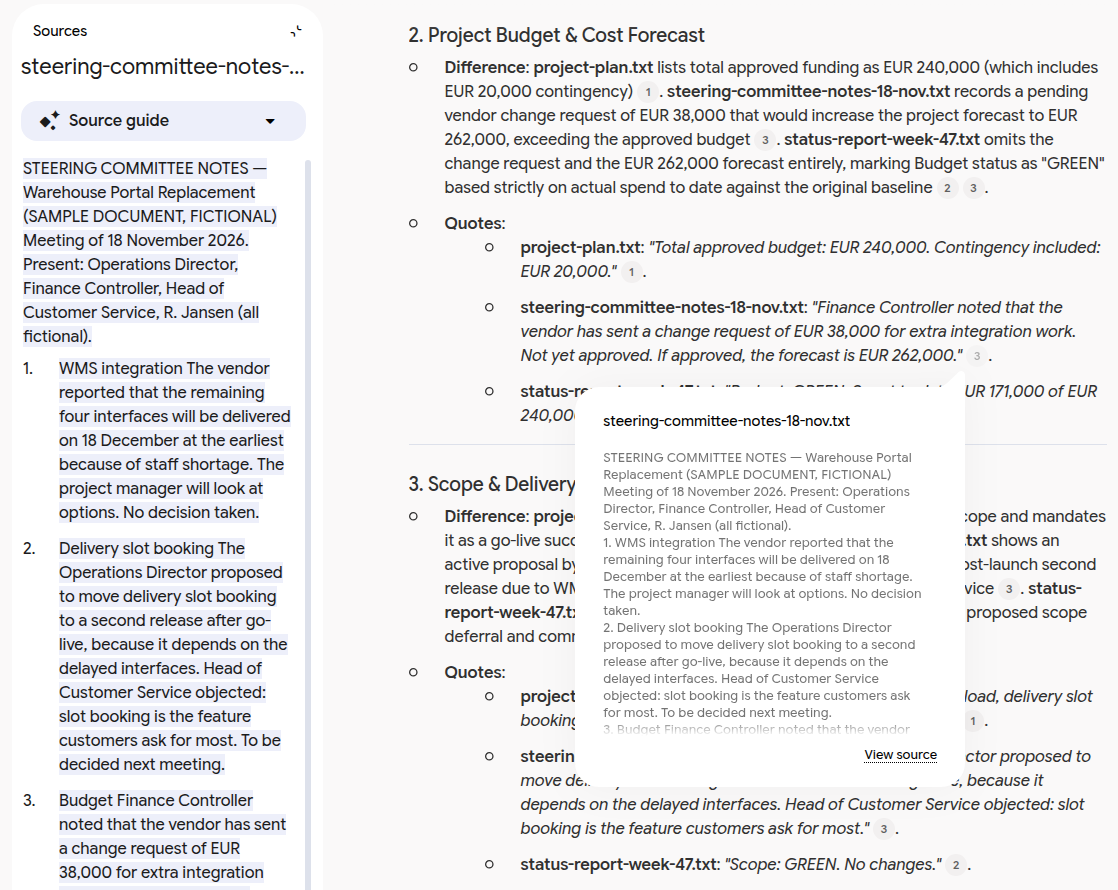
Every statement in the answer ends with a small number. Click it and the notebook opens the source it refers to. Google describes these citations as the way to check a response, and that is how to use them: before you bring a finding to a meeting, click through and read the original sentence in its context.
One detail from our test: with our short documents, the citation opened the whole document with all of it marked, not the single sentence. Google's help page says short sources are referenced as a whole. With longer documents you should get a more precise passage, but we did not test that.
Step 4: Ask what is still undecided, and who owns it
Contradictions tell you where the documents disagree. The more useful question for a steering meeting is what has to be decided. We asked:
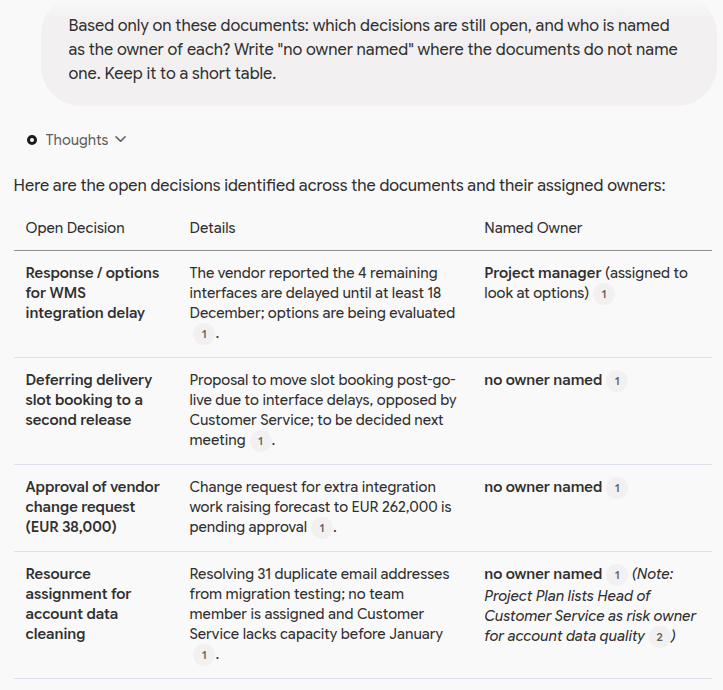
Based only on these documents: which decisions are still open, and who is named as the owner of each? Write "no owner named" where the documents do not name one. Keep it to a short table.
The answer was a table with four open decisions. For three of them it wrote "no owner named". For the data clean-up it added a useful note: the project plan names the head of customer service as the owner of that risk, while the meeting notes say nobody has been assigned.
Where you still have to think
The result was good. It was not neutral, and it was not complete. These are the things we noticed when reading the answer closely.
It judged, although we asked it not to. The answer said the status report described the delay "vaguely" and left out "critical details", and it called an unapproved change request a "pending EUR 38k budget overrun". Those are opinions. The request may be rejected. If you forward the text as it is, you forward the tone as well.
It did not always quote. In the last finding it summarized the steering notes instead of quoting them, even though we asked for quotes.
It missed what a person would see first. The status report is dated two days after the steering meeting. Its author knew about the delay when writing "on track". The tool listed the differences and said nothing about that order of events. We had not asked about dates, so this is a limit of our question as much as of the tool.
It only knows the documents. It cannot tell you whether the supplier's date is firm or whether the status report is right after all. It shows where to ask.
This was one run on three tidy documents. Real project files are longer, messier and partly out of date, and the same question can produce a different answer the next time. Google's own pages say the tool can make mistakes. Five out of five here is an encouraging example, not an accuracy figure.
Before you upload real project documents
Project documents contain names, supplier prices and contract details, so the account you use matters. Google's help pages draw this line, as we read them on 28 November 2026:
- For personal accounts, Google says your data "is not used to train Gemini Notebook unless you provide feedback". If you do give feedback, the related content can be reviewed by trained teams and kept for up to three years.
- For Google Workspace and Workspace for Education accounts, Google says uploads, questions and answers are not reviewed by people and not used to train AI models.
- Without a paid plan, a notebook holds up to 50 sources, each up to 500,000 words or 200 MB.
Check with whoever is responsible for IT and privacy in your organization which account type applies and whether these documents may be used this way. Until that is clear, practice with documents that contain nothing sensitive.
How we would use this
We would use it as preparation, a day before a steering meeting or a project review: load the plan, the latest two status reports and the latest meeting notes, ask the two questions above, click through the citations, and bring the open points as questions. The tool does the side-by-side reading that people rarely have time for. The conversation about what is true and what to do stays with the people in the room.
That fits a point we made earlier: a project can be on schedule and still be heading in the wrong direction. A green report describes the plan. Reading the documents against each other is one practical way to find out whether the plan still describes the project.
Sources
- Our own test in Gemini Notebook on 28 November 2026, with three fictional documents and two questions, each asked once
- Google, Learn about Gemini Notebook (grounded answers with citations, data use, "can make mistakes")
- Google, Add or discover sources (source types and limits, short sources referenced as a whole)
- Google, Privacy and Terms of Use in Gemini Notebook (feedback, review and retention, Workspace accounts)
- Google, Use chat in Gemini Notebook (citations as a way to check a response)
Product names, limits and terms change. Check the official pages for the current state before you rely on this.